Sell with confidence
Find products by name, SKU or barcode. Build a cart and record cash, card, EFT or split payments.


Built for the business behind the counter
IEOSUIA POS is a cloud point-of-sale platform for South African businesses. Manage sales, inventory, staff, receipts and reporting in one business workspace.
14 days free. No card required.
 THE EVERYDAY STOREShift open
Good afternoon.
Less guesswork. More control.
The practical tools a shop needs, with the same core functionality on every plan.
Explore every POS featureFind products by name, SKU or barcode. Build a cart and record cash, card, EFT or split payments.
Track quantities at each shop. Record stock counts, adjustments and the reason for every change.
Keep one business catalogue and separate shop balances. Give staff access to their assigned locations.
Compare shops, products and cashiers. Export scoped reports as proper PDF, CSV and Excel documents.
Owners, managers and cashiers get clear roles. Open a shift, count the drawer and record the cash variance.
Reprint saved receipts, associate optional customers and record authorised full refunds with an audit trail.
Your workspace, in view
Real application screens using synthetic demonstration records.
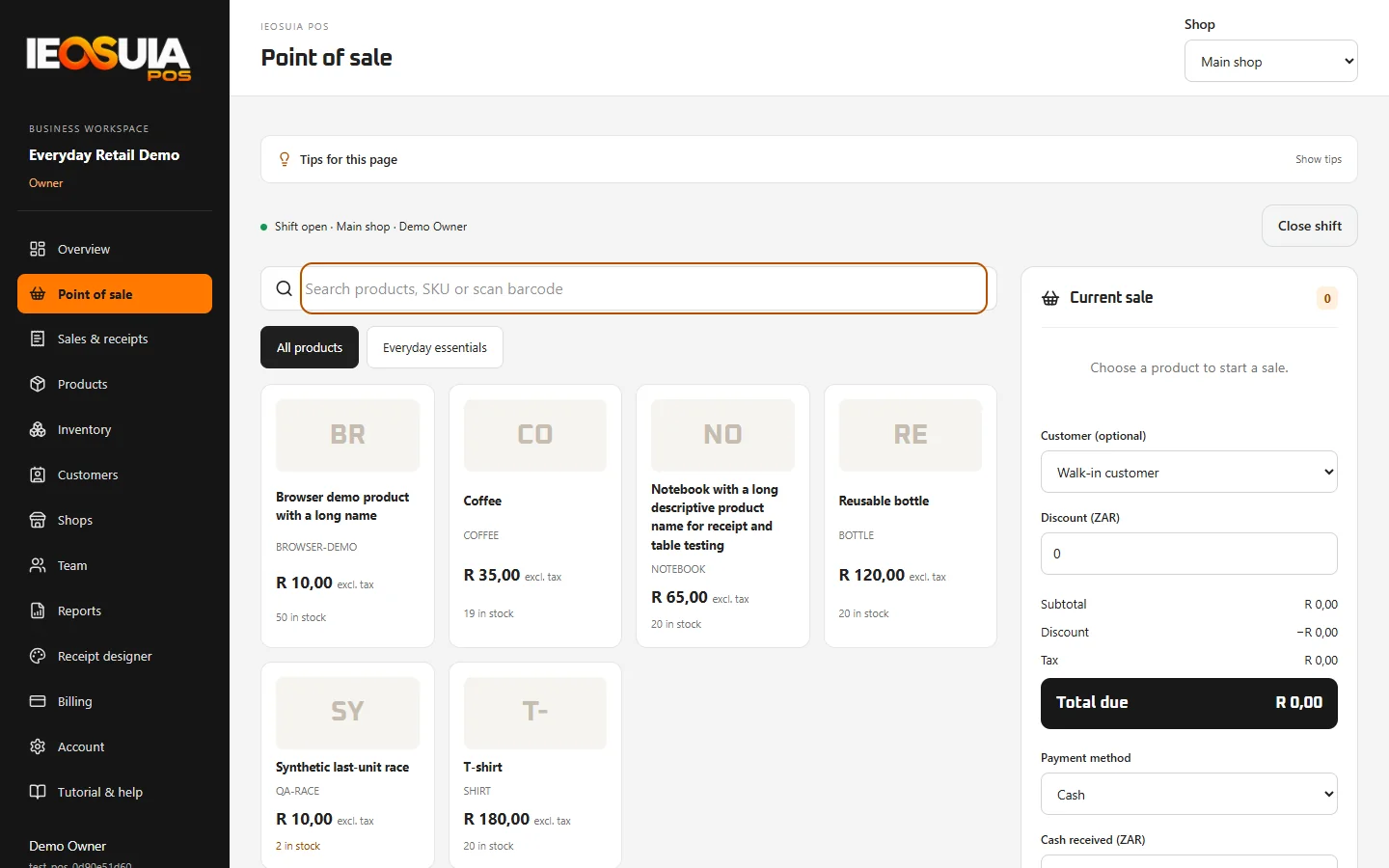
A focused counter for your next sale. Illustrative demo
Shop count depends on your plan.
Room to grow
Keep separate stock levels at each shop and compare performance across the business. Staff see their assigned locations, while the owner keeps the full picture.
A simple start
Owner account, business name and first shop. Choose the plan that fits.
Add products and categories, record your opening stock, and invite your team.
Record payments, print receipts, review your results and close with a cash count.
Simple monthly plans
Start with a 14-day trial. Plans differ by shop and staff limits.
R 149,00/ month
1 shop · Up to 3 staff
R 299,00/ month
Up to 3 shops · Up to 10 staff
R 499,00/ month
Up to 10 shops · Up to 30 staff
Prices in South African rand. One owner account is included separately from the staff limit. Monthly renewals use a hosted PayOS checkout; automatic debits are not enabled. A 14-day trial does not take a payment.
Clear boundaries. Traceable activity.
Business and shop permissions protect each request. Sensitive actions leave an audit record, and completed transactions keep their saved receipt details.
Owner, manager and cashier roles with explicit shop assignments.
Server calculations, stock checks and duplicate-request protection.
Stock adjustments, refunds and admin actions record who did what.
Your 14-day trial starts when the business is created, without card details or a trial payment. Verify your owner email before signing in. Changing the trial plan does not restart the trial end date.
All plans include the same core functionality with different active-shop and staff allowances. A trial plan can change immediately if usage fits. Outside a trial, plan selection applies after the next confirmed payment. Reduce active shops or staff before selecting a smaller plan.
Yes. The owner can upload a merchant logo, enter business details, choose their visibility and select Classic, Modern or Minimal layouts for 58 mm, 80 mm or A4 receipts. Saved sales preserve the branding used for later reprints.
Card and EFT entries record payments received through your separate payment arrangement. PayOS is used for the IEOSUIA POS subscription. Direct customer-card processing at the shop is not implemented.
No automatic monthly debits are enabled. The owner initiates a hosted PayOS checkout from Billing. Verified provider confirmation extends the paid period; a browser return by itself does not activate access.
An internet connection is required to save sales, stock changes and other operational actions on the server. Offline selling is not supported.
Your next chapter
14 days free · No card required
More to discover
Discover more IEOSUIA products and digital service categories built to help businesses work smarter.
Modern web experiences
Apps for Android and iOS
Tools for operations and growth
Practical AI for real workflows
Reduce repetitive work
Brand and marketing visuals
Interface and experience design
Motion for products and campaigns